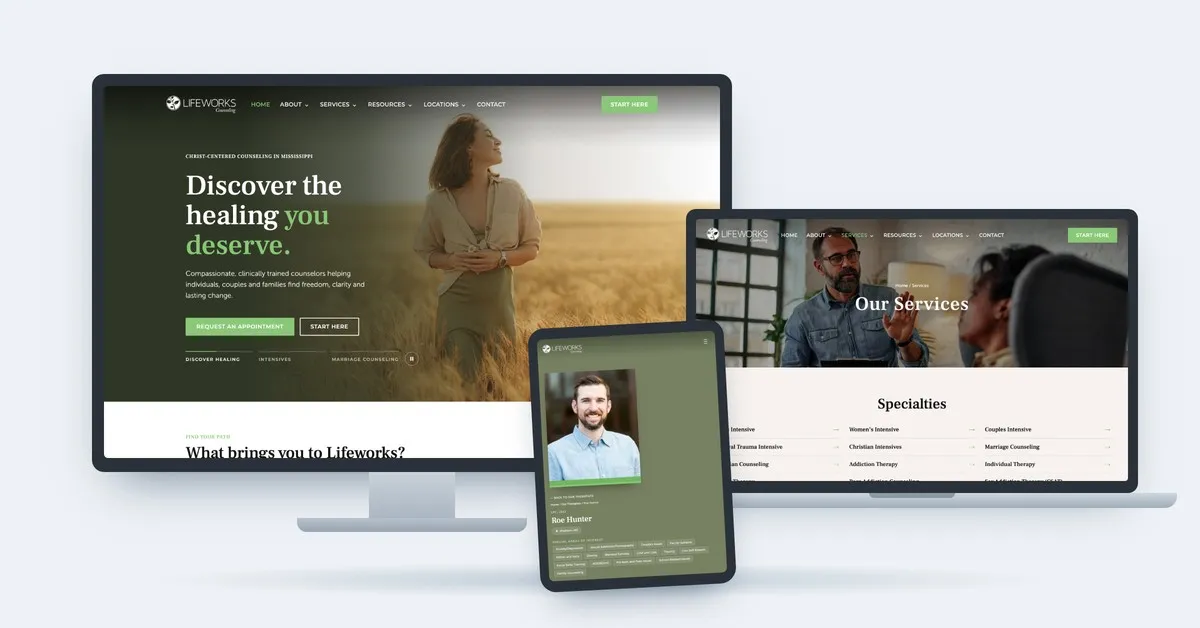


A homepage has one job: make the next step obvious. It is not a company summary, a service catalog, or a place to settle internal debates about what the business does. It is a routing decision made on behalf of a visitor who arrived with a question and will leave if answering it takes too long.
Most homepages fail by trying to be complete. Every department wants representation, every service wants a mention, and the result is a page that describes the company accurately and helps nobody.
What a Visitor Is Actually Doing
Someone landing on your homepage is running three checks, usually in under ten seconds.
Am I in the right place? They are matching what they searched or heard against what they see. If your headline describes your category in language they would not use, they leave.
Is this for someone like me? A business owner wants to see businesses like theirs. A patient wants to see a practice like the one they need. Specificity does this work; comprehensiveness defeats it.
What do I do now? If the answer requires scrolling past four sections and reading a paragraph, most people will not find it.
Nothing in that sequence requires knowing your full service list, your founding year, or your values. Those can live on the page. They should not be in the way.
The Three Things That Carry a Homepage
Clear messaging gets them oriented. The headline should say what you do and who it is for, in the words your buyer uses. The test is whether a stranger could repeat it back after one read.
Thoughtful structure helps them find what matters. Group what you offer the way a visitor thinks about it, not the way your org chart is drawn. If people arrive with different problems, give each problem a visible door.
Intentional calls to action give them somewhere useful to go. Not one generic button repeated eleven times. A primary action for people who are ready, and a lower-commitment action for people who are not. Two is usually right. Five is a menu, and menus stall people.
What to Cut
- The mission statement above the fold. It matters internally. It does not answer any of the visitor’s three questions.
- The service list that reads like a sitemap. Twelve links of equal weight is not structure; it is an index.
- The carousel. Visitors rarely see slide two, and the slides usually exist because the team could not choose.
- Multiple competing calls to action in one section. Book a call, download the guide, watch the video, subscribe, and chat. Each one added lowers the chance any gets used.
- Copy written to impress peers. If a sentence would sound strange said out loud to a customer, rewrite it.
- Anything a visitor must read to get to the part they came for. Depth belongs on service pages, which is where interested people go next.
How to Tell If Yours Is Working
- Read your headline to someone outside the business. Ask what the company does and who it is for. If they hesitate, the headline is the problem.
- Count your calls to action above the fold. More than two is a decision you have not made.
- Look at the paths people actually take. If most visitors leave from the homepage rather than moving to a service page, the routing is failing.
- Check where the primary action sits. It should be visible without scrolling, and repeated once near the bottom for people who read the whole page.
- Ask what the page is optimized to do. If the honest answer is “describe us,” it is not optimized to do anything.
Design Gets Attention. Clarity Keeps It.
A beautiful homepage that does not route anyone is an expensive brochure. Strong design earns the first few seconds; clarity is what turns those seconds into a second page view. The best homepages are usually simpler than the company is comfortable with, because they are built around how people decide rather than around everything there is to say.
How Gridwell Approaches This
Homepage structure is part of our Creative & Experience Design work, and it starts with positioning rather than layout. We define who the page is for and what we want them to do, then build the message, structure, and calls to action around that decision.
For the broader argument about what a website is for, read Your Website Isn’t a Brochure. It’s a Path to a Decision. For the design principles behind it, see Design Is About How It Works.
Your homepage does not need to tell visitors everything. It needs to make the next step obvious.
Frequently Asked Questions
What should be above the fold on a homepage?
A headline that says what you do and who it is for, a short supporting line, and a primary call to action. A secondary, lower-commitment action can sit beside it. That is enough. Everything else can be reached by scrolling, and people who are interested will scroll.
How many calls to action should a homepage have?
One primary action, repeated in two or three places down the page, plus one secondary action for people who are not ready to commit. More than that and visitors stop choosing. The secondary option matters because most homepage traffic is not ready to buy, and a free audit or a guide keeps that visitor in the relationship.
Should a homepage list every service?
It should give every service a visible path, but not equal prominence or full explanation. Group services the way customers think about their problems, link to the detail, and let the service pages do the convincing. A homepage that explains everything explains nothing well.
How do I know if my homepage messaging is clear?
Read the headline to someone who does not work in your industry and ask them what the company does and who it serves. If they can answer in their own words after one read, it is clear. If they pause, ask a clarifying question, or repeat your jargon back without meaning, it is not.